Back to Blog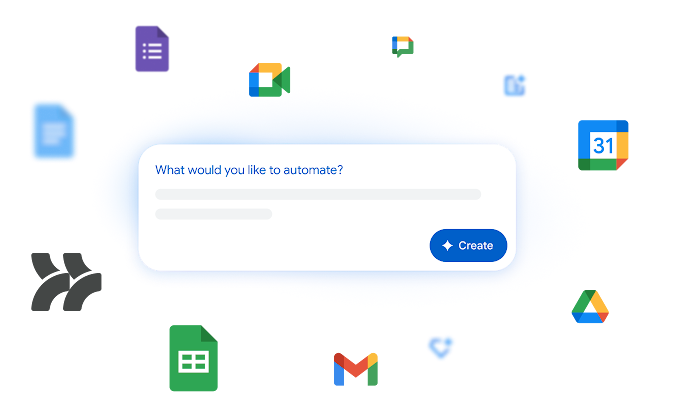

Workspace Updates
Google Workspace Studio: Intelligent AI Agents for Automation
December 4, 2025
4 min read
0 views
Jack Miller
Loading reactions...
Google Workspace continues to evolve, bringing powerful artificial intelligence capabilities directly into the hands of administrators and end-users. A significant new development, announced on 3 December 2025, is the introduction of Google Workspace Studio, a dedicated platform designed to empower organisations to create, manage, and share AI agents that automate a wide range of tasks within the Workspace ecosystem, all without requiring any coding expertise.
Google Workspace Studio is set to redefine how automation is approached within organisations. This new offering provides a centralised hub for building and deploying AI agents that move beyond simple, rule-based operations. These agents can reason through complex problems, adapt to new information, and handle sophisticated workflows, making them invaluable for tasks such as intelligent prioritisation, support issue triage, smart approvals, content generation, and sentiment analysis.
Intelligent Automation: Unlike traditional automation tools, agents built in Studio can adapt and learn, tackling complex scenarios that require more than just predefined rules. They are capable of understanding context and making decisions.
AI-Powered Creation: One of the most compelling features is the ability for any user to build custom agents using plain language descriptions. Gemini AI assists in the creation process, allowing users to simply describe the desired automation (e.g., "every Friday, ping me to update my tracker"), and the agent will be generated.
Contextual Understanding: These agents are deeply integrated with core Workspace applications like Gmail, Drive, and Sheets. This integration allows agents to pull relevant context from documents, emails, and even the web, providing more accurate, personalised responses and taking informed actions based on a user's specific situation.
Seamless Third-Party Integration: Workspace Studio agents are not limited to Google services. They can connect with a variety of third-party applications and platforms, including popular tools such as Asana, Jira, Mailchimp, and Salesforce, ensuring comprehensive automation across an organisation's entire digital landscape.
Extended Customisation: For advanced use cases, organisations can further extend agent capabilities. This includes calling external APIs via webhooks to connect to virtually any internal or external service (e.g., pushing notifications to Slack or Teams). Additionally, custom steps can be built using Apps Script to integrate with proprietary internal tools or even leverage models within Vertex AI.
Sharing and Scalability: Agents created in Workspace Studio can be easily shared across teams, similar to sharing a Google Doc. This facilitates rapid scaling of effective automation solutions throughout an organisation. A library of zero-configuration templates for common use cases (like daily email summaries or pre-meeting briefs) is also available, further simplifying agent creation.
For Google Workspace Administrators, understanding the setup and management of Workspace Studio is crucial:
Core Service Integration: Google Workspace Studio functions as a core service. Its default status (on or off) will align with your organisation's release preference for new products. Administrators have granular control and can enable or disable the service at the organisational unit (OU) and group levels.
Promotional Access and Usage: Eligible Workspace editions will receive promotional access to higher usage limits for Workspace Studio. Further details on per-user usage limits are expected in January 2026. It is also important to note that users under the age of 18 will not be able to create agents with Gemini AI or utilise AI-powered steps.
Upcoming Features and Controls: In the coming weeks, several new features will roll out, including enhancements for external sharing, email sending beyond your primary domain, and robust webhook support. These features will be tightly integrated with existing trusted domains and allow list configurations, providing administrators with essential controls for monitoring and auditing data flow to meet security and compliance standards. Granular admin controls will be available to manage these specific features.
Rollout Schedule: For Rapid Release domains, administrators will see settings appear in the Admin console at the same time end users gain access to Workspace Studio, with a gradual rollout starting 3 December 2025. For Scheduled Release domains, Admin console settings will roll out gradually starting 3 December 2025, while end-user access to Workspace Studio will begin gradually from 5 January 2026.
Availability: Google Workspace Studio is available for Business Starter, Standard, and Plus; Enterprise Starter, Standard, and Plus; and Education Fundamentals, Standard, and Plus editions. It is also accessible to Google AI Pro for Education and Google AI Ultra for Business customers.
Administrators should consult the Admin Help Centre for comprehensive information on default settings for sharing, webhooks, and Gemini features related to Workspace Studio to ensure proper configuration and management within their environments.
Continue reading more on this topic